Controller
MVC 디자인 패턴에서 C가 Controller이다. Controller는 뷰에 모델을 넘겨주는 역할을 한다.
아래와 같이 클래스를 만들어보자.
package com.example.demo.controller; //controller 패키지를 새로 만듬.
import org.springframework.stereotype.Controller;

@Controller //컨트롤러 어노테이션
public class MainController { ... }
위처럼 어노테이션을 작성해 주면 Spring에서 자동으로 해당 클래스를 컨트롤러로 인식하며 Bean이라는 형태로 가지고 있게 된다.
Mapping
컨트롤러 내부에서는 특정 메소드를 특정 엔드포인트에 Mapping을 한다.
HTTP 통신에서 GET Method를 사용해 접근하는 요청을 처리할 때는 GetMapping 어노테이션, POST Method를 사용해 접근하는 요청을 처리할 때는 PostMapping 어노테이션을 사용한다. (PutMapping, DeleteMapping도 물론 존재한다.)
일반적으로 웹브라우저에 URL을 입력하여 이동하는 것은 GET Method를 사용하는 것이므로 아래와 같이 작성해 보자.
package com.example.demo.controller;
import org.springframework.stereotype.Controller;
import org.springframework.web.bind.annotation.GetMapping;

@Controller
public class MainController {

    @GetMapping("/test") //http://localhost:8080/test 로 요청할 경우
    public String test(){
        return "index"; //resources/templates 폴더에서 index 파일을 찾아 보여줌.
    }
}
매핑은 해놓았으니 index.html 파일을 만들어보자.
<!-- 위치 : resources/templates/index.html -->
<!DOCTYPE html>
<html lang="ko">
<head>
    <meta charset="UTF-8">
    <title>Test Page</title>
</head>
<body>
    테스트 페이지입니다. 작동할까요?
</body>
</html>
프로젝트를 실행하고 localhost:8080/test로 들어가 보면 아래와 같이 나타난다.

위와 같이 잘 작동하는 모습을 볼 수 있다.
Thymeleaf 엔진으로 모델 전달하기
타임리프는 컨트롤러가 전달하는 모델을 받아 동적인 뷰를 만들 수 있게 해주는 뷰 템플릿이다.
html을 기반으로 하며 th: 속성을 이용해 태그들의 값을 바꿔줄 수 있다. 이전 글에서 프로젝트를 생성할 때 미리 Thymeleaf를 Dependencies에 추가해 두었기 때문에 build.gradle을 만질 필요는 없지만 만약 추가하지 않았다면 아래와 같이 추가하면 된다.
dependencies {
    ...
    implementation 'org.springframework.boot:spring-boot-starter-thymeleaf'
    ...
}
이제 html 파일을 아래와 같이 수정하면 thymeleaf를 사용할 준비가 모두 끝난다.
<!-- 위치 : resources/templates/index.html -->
<!DOCTYPE html>
<html lang="ko" xmlns:th="http://www.thymeleaf.org">
    <!-- xmlns:th 부분이 추가됨 -->
    <head>
        <meta charset="UTF-8">
        <title>Test Page</title>
    </head>
    <body>
        테스트 페이지입니다. 작동할까요?
    </body>
</html>
그럼 컨트롤러에서 값을 먼저 넘겨주자.
package com.example.demo.controller;
import org.springframework.stereotype.Controller;
import org.springframework.ui.Model;
import org.springframework.web.bind.annotation.GetMapping;

@Controller
public class MainController {

    @GetMapping("/")
    public String test(Model model){
        model.addAttribute("msg", "컨트롤러에서 보낸 값입니다.");
        //.addAttribute()를 이용해 값을 넘김
        //1번 매개 변수는 변수 이름, 2번 매개 변수는 값이다.
        return "index";
    }
}
그리고 Thymeleaf를 적용한 html 문서에서 변수 이름을 이용해 받아서 사용하면 된다.
<!-- 위치 : resources/templates/index.html -->
<!DOCTYPE html>
<html lang="ko" xmlns:th="http://www.thymeleaf.org">
    <head>
        <meta charset="UTF-8">
        <title>Test Page</title>
    </head>
    <body>
        <!-- th:text 속성을 추가 -->
        <p th:text="${msg}"></p>
    </body>
</html>
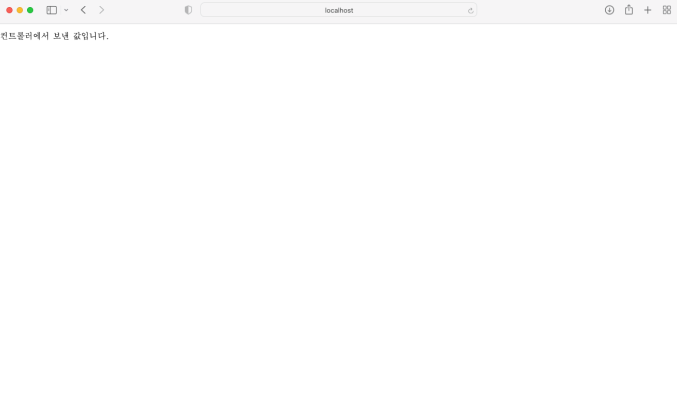
변수를 사용할 때는 ${변수이름} 형식으로 사용해야 한다. 실행을 해보면 결과는 아래와 같다.
'Development > Spring Boot' 카테고리의 다른 글
| [Spring Boot] #1 프로젝트 생성 (0) | 2026.05.04 |
|---|